7 days free
Try all of PRO free for 7 days, once per account. No card. Start it in Edit from any PRO feature, signed in.
Edit is free to download and open. PRO turns on Anna, who plans and builds from one prompt, and everything below. One purchase covers both apps.
§ 01 · Remote access
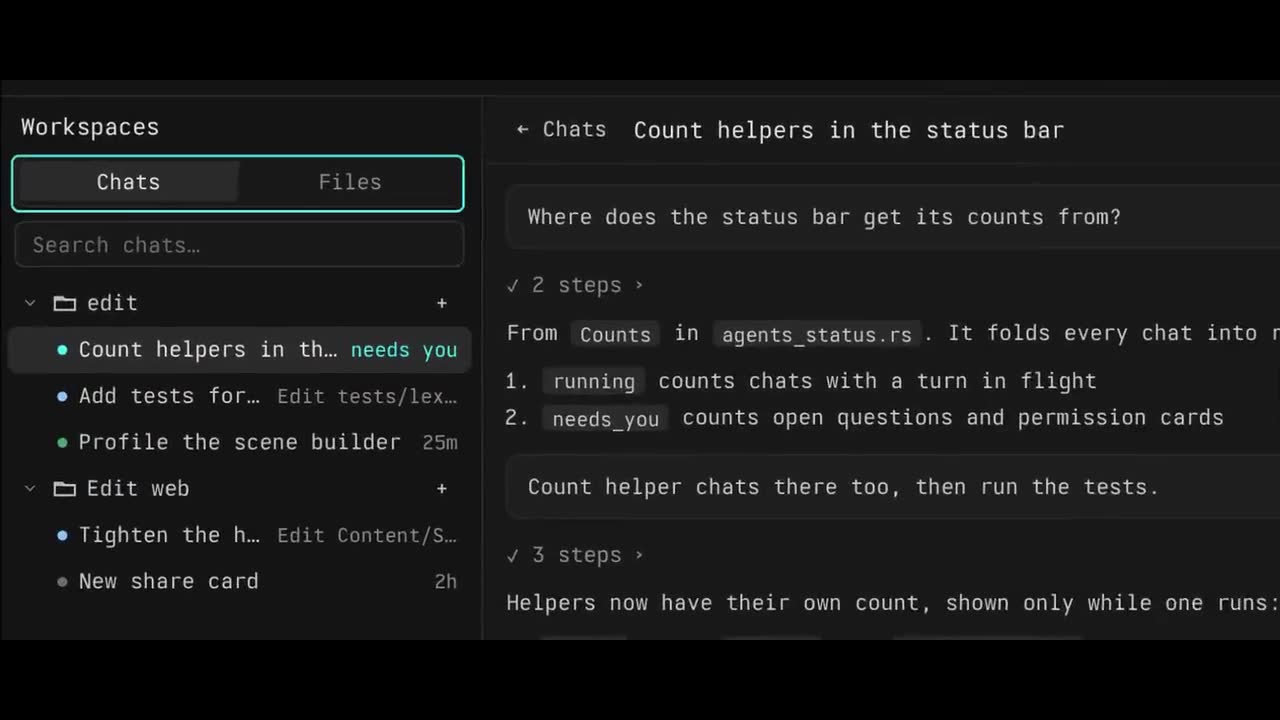
Pair a browser or a phone with a code from Edit. Edit asks on the Mac before that browser can reach it.
Read every chat as it streams, answer what the agents ask, allow a command, and commit and push.
Each command is signed by the browser's own key, and the relay passes it on without reading, storing or logging its body.
§ 02 · Skill autopick
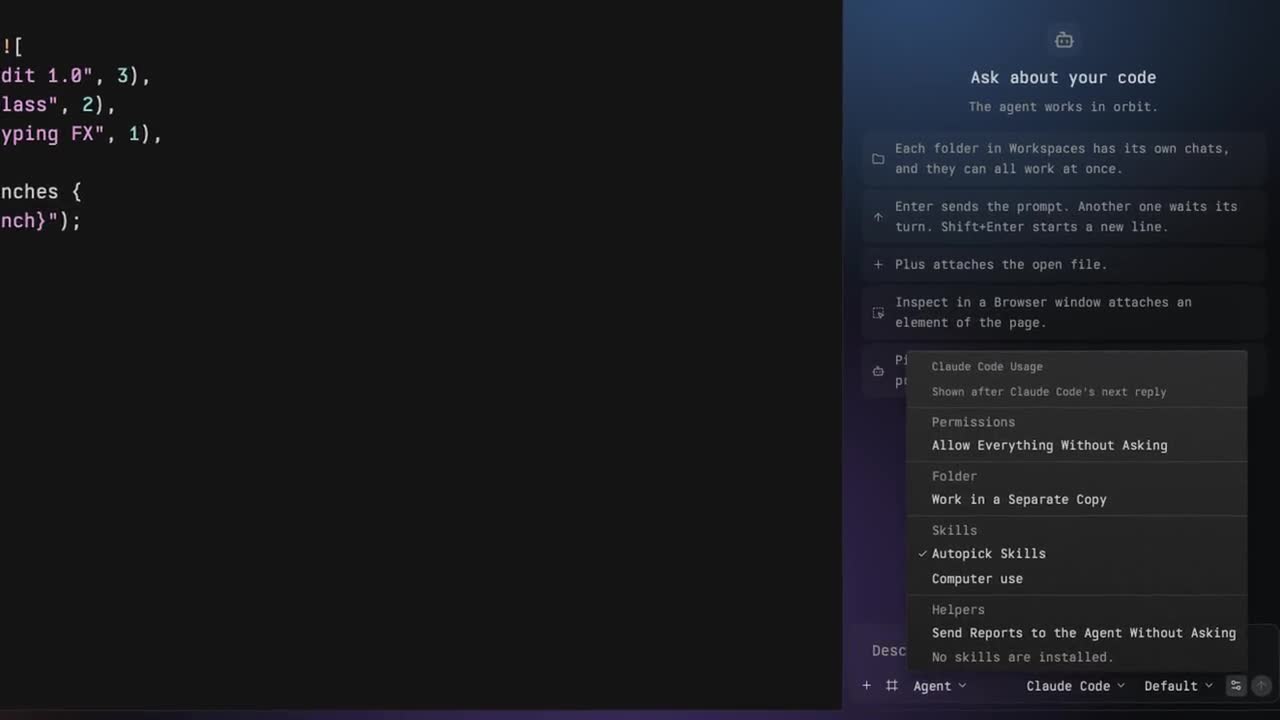
Turn on Autopick Skills in the assistant menu, and each prompt brings the installed skills that fit it.
Edit reads the skills Claude Code, Cursor Agent and Codex already have, in the project and in your home folder.
At most three are kept, and only when they are close to the prompt. The chat names them in a step, Using skills.
§ 03 · Computer use
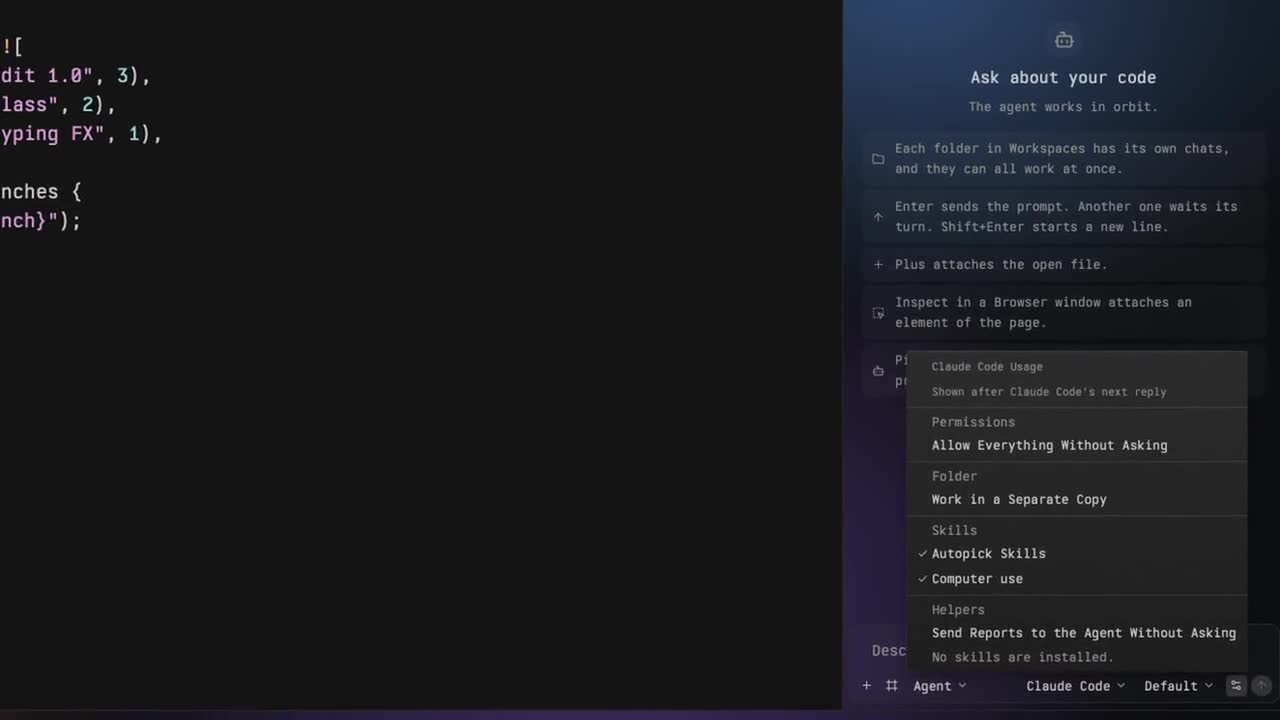
Turn on Computer use in the assistant menu, and an agent in Agent mode can open the app it changed and try it.
It reads the screen through the Mac's accessibility tree with agent-desktop, acts, then looks again to verify.
Edit installs agent-desktop with npm, which needs Node.js, and opens the Accessibility setting when that permission is missing.
§ 04 · Run
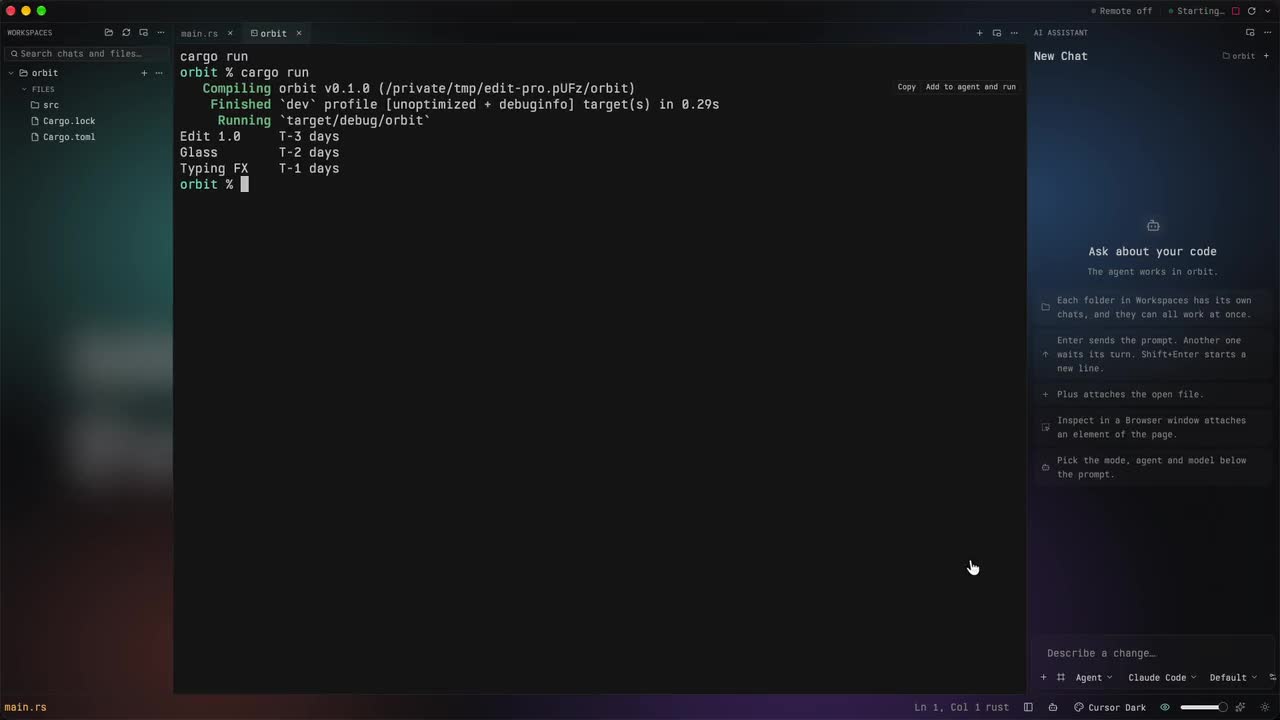
Run finds .NET apps, Cargo binaries, npm scripts, Go commands and Docker Compose in the folder you are editing.
Play starts its pick in a terminal tab. A dot, Stop and Restart take its place while it runs.
The menu beside it lists Run, Run Release, Watch, tests, and EF Core when a project has a database context.
§ 05 · IntelliSense
Completions as you type from rust-analyzer, gopls and csharp-ls.
Rust and C# show the kind, the signature and each parameter, and Tab accepts.
The status bar says what the language server is doing while it has news, such as rust-analyzer: starting.
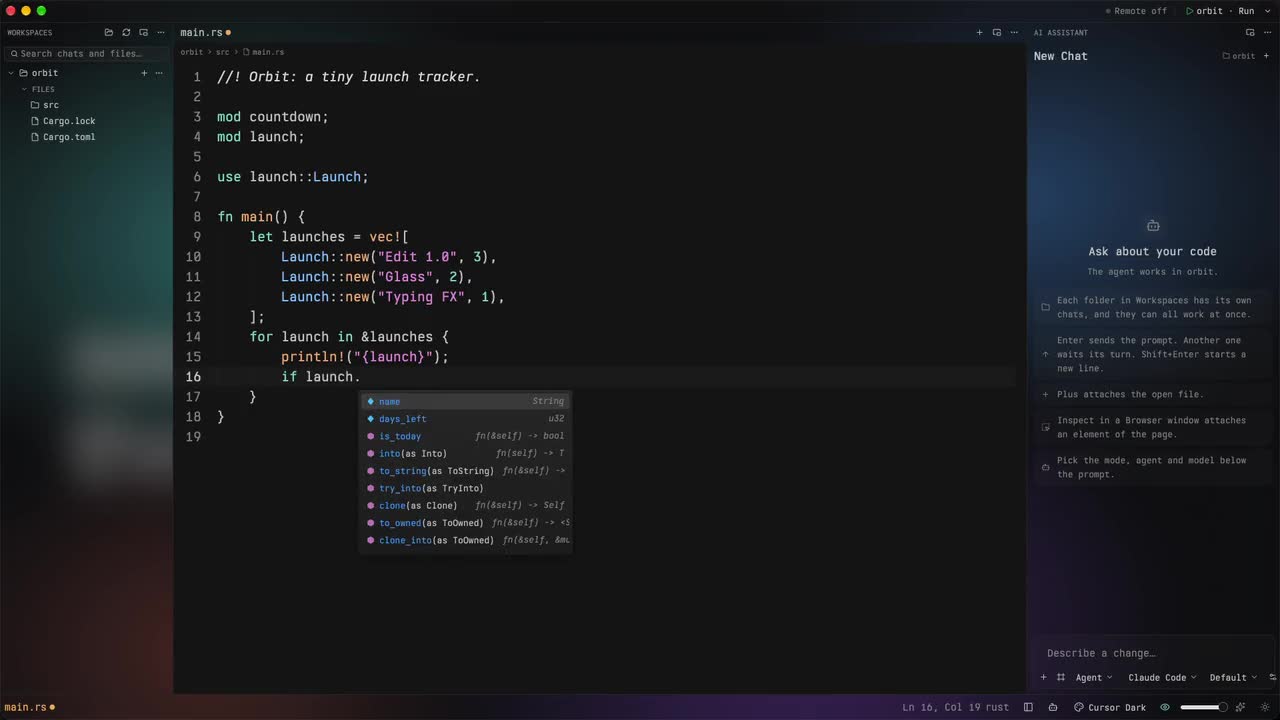
§ 06 · Glass
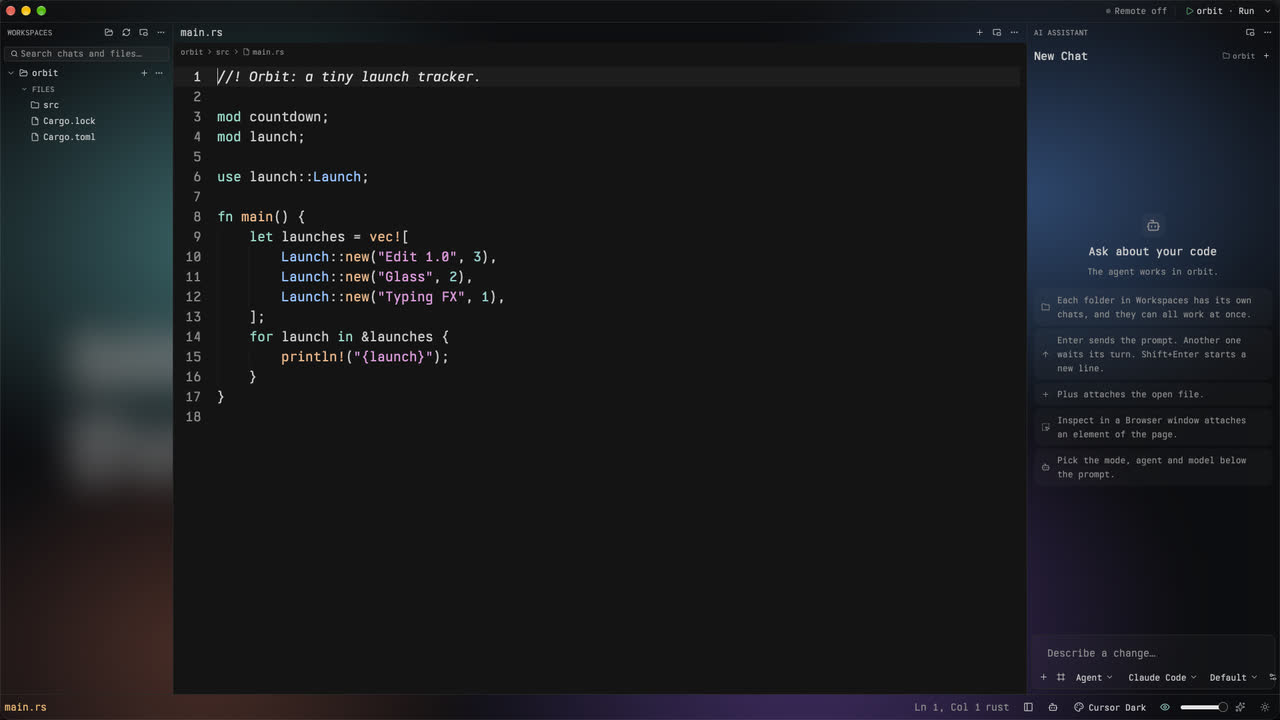
On macOS, Edit Dark and Violet Dark let the desktop show through, blurred by the system.
A slider on the status bar sets the clarity. Each step halves how much the colors cover the desktop.
The curtain darkens the glass behind the editor. The text, the caret and the syntax colors stay full strength.
§ 07 · Typing FX
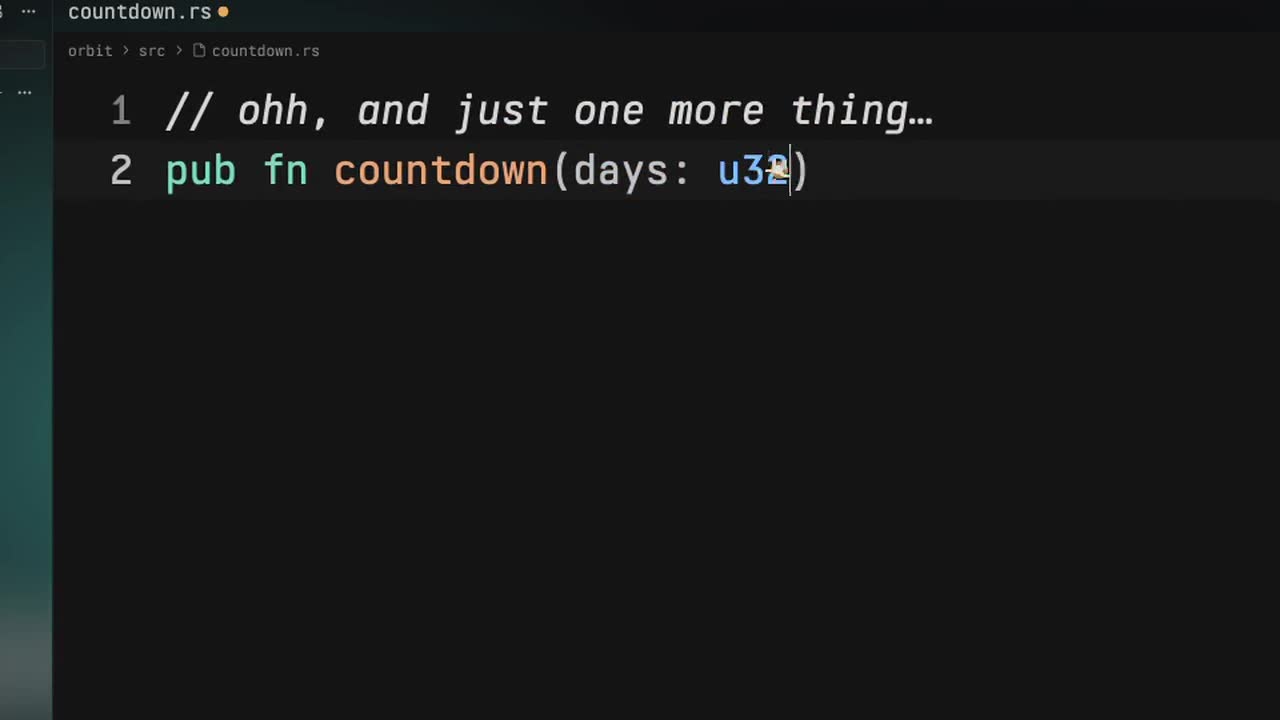
Each key you type in the editor throws a small burst of sparks from the caret.
The editor gives a tiny shake with it, over in about a tenth of a second.
A button on the status bar turns it on and off.
§ 08 · Plans
PRO belongs to your account, not to a computer. Sign in to Edit with that account and PRO is on, in the GPU app and in the terminal version.
Try all of PRO free for 7 days, once per account. No card. Start it in Edit from any PRO feature, signed in.
19 EUR each month. Both apps stay on PRO through each paid month.
399 EUR once. PRO stays on this account.
Get Edit
Edit opens without an account. Sign in when you want PRO, and the features above turn on where you are.